CC Protection
What is CC Protection?
CC Protection (Challenge Collapsar Protection) is a network security mechanism specifically designed to defend against CC attacks (HTTP Flood attacks). Its core goal is to prevent malicious users from exhausting server resources (such as bandwidth, CPU, and database connections) through high-frequency, automated HTTP requests, which could lead to service unavailability for legitimate users. Imagine you own a restaurant, and suddenly 100 people block the entrance, repeatedly placing orders without actually buying anything, preventing real customers from entering—this is essentially what a CC attack does (maliciously flooding your website with traffic to overwhelm it).
Core Features
| Settings | Function |
|---|---|
| Blocking Strength | The strictness level of the security guard (lenient/strict) |
| QPS Limit | Maximum number of orders allowed per person per second |
| Protection Scope | VIP channel (these pages are not checked) |
It’s like assigning a smart security guard to your restaurant, who will:
● Count visitors:Detect which "customers" are excessively sending requests (e.g., 10 orders per second)
● Block bots:Automatically kick out visits that are clearly from scripts
● Protect real users:Normal customers (e.g., placing 1 order every 3 seconds) remain completely unaffected
Why CC Protection is Needed
● Without protection: Your website may become sluggish or completely unresponsive
● With protection: Malicious traffic is filtered out, allowing normal users to access the site smoothly
Tips for Beginners
- Start with the default settings—just enable the feature.
- If legitimate users are mistakenly blocked, add them to the allowlist or lower the sensitivity.
- Temporarily increase the protection level when under attack.
How to Use CC Protection in LightCDN?
You can go to Security Protection → CC Protection to enable and configure the protection settings.
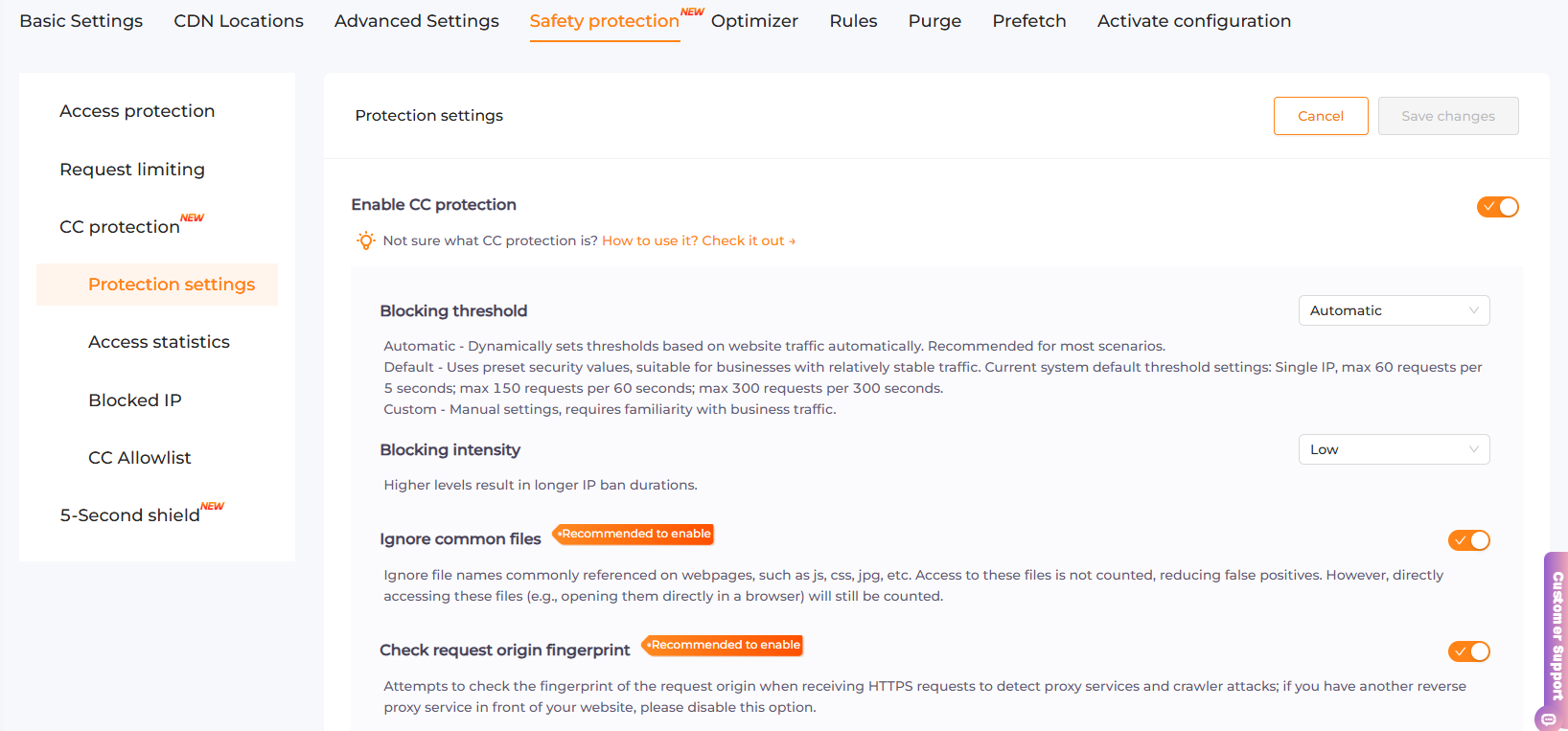 If the function settings are unclear, there’s no need to modify them. Wait until you understand the normal traffic patterns of your website before making adjustments and testing.